We’re sorry to see you go. If you’ve decided to close your account, we’ve made the process simple and transparent. Please note that deleting your account is permanent and will result in the loss of all saved perks, e-cards and historical savings data.
Option 1: Delete via the App (iOS & Android)
The fastest way to close your account is directly within the app:
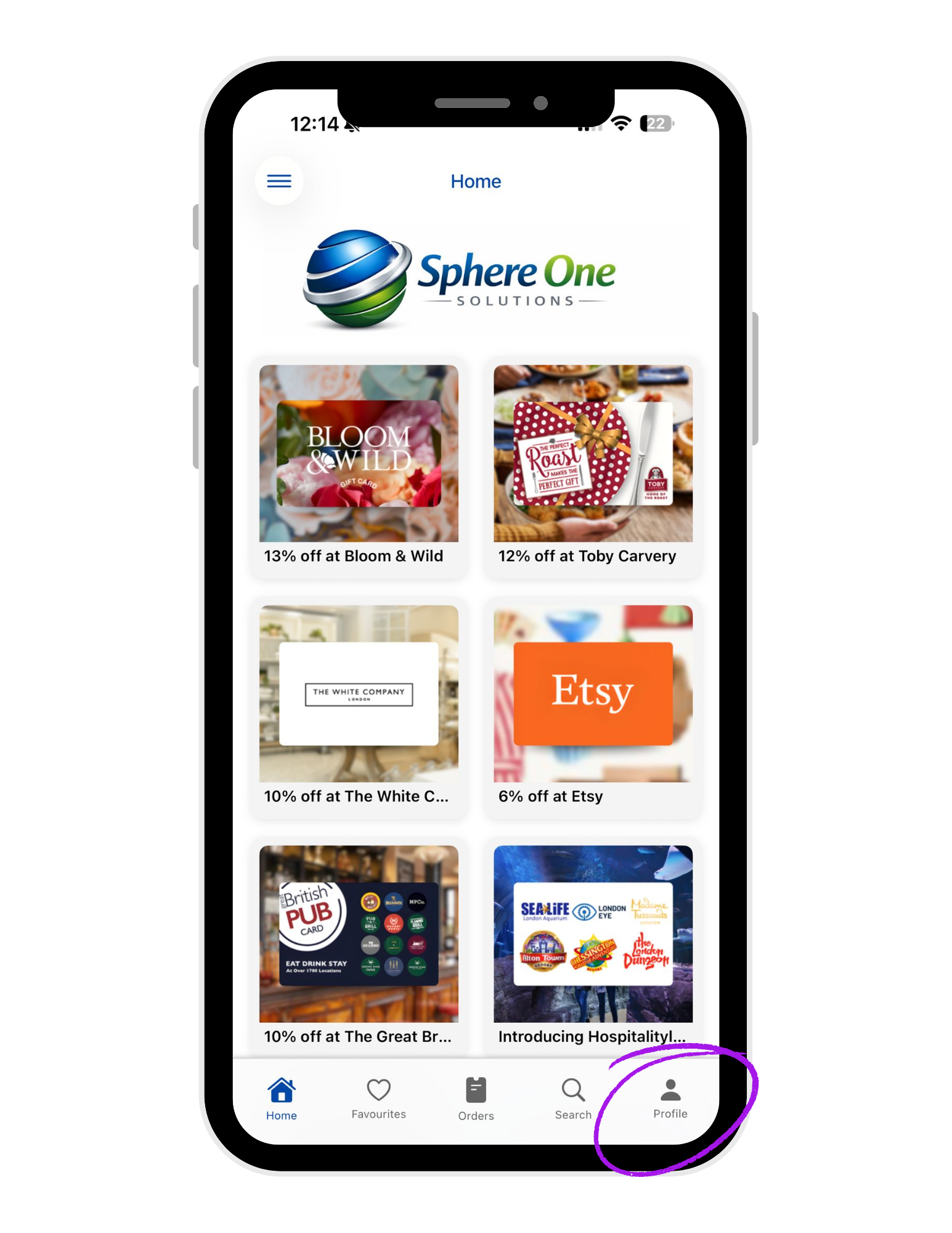
Open the app
Tap the Profile icon in the bottom navigation bar.
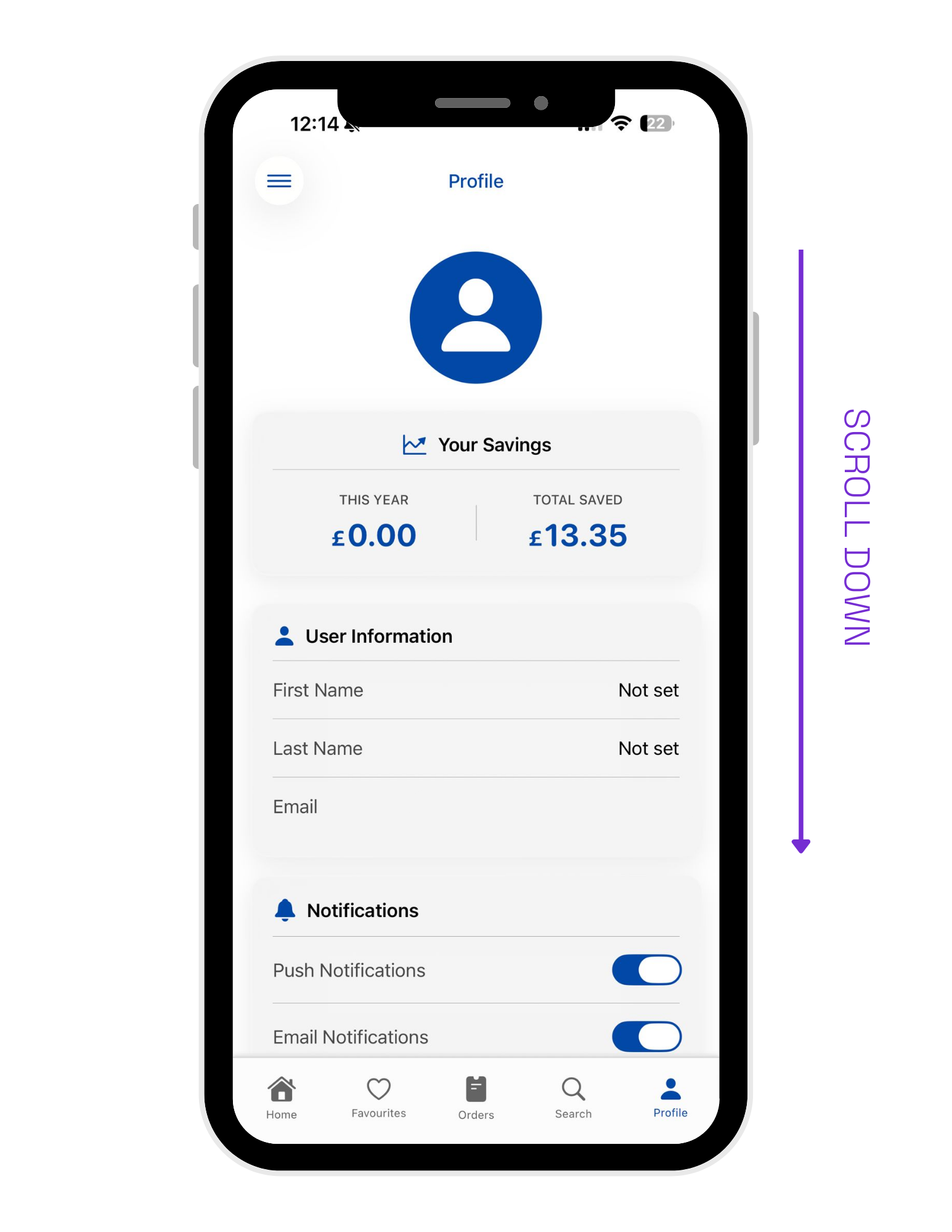
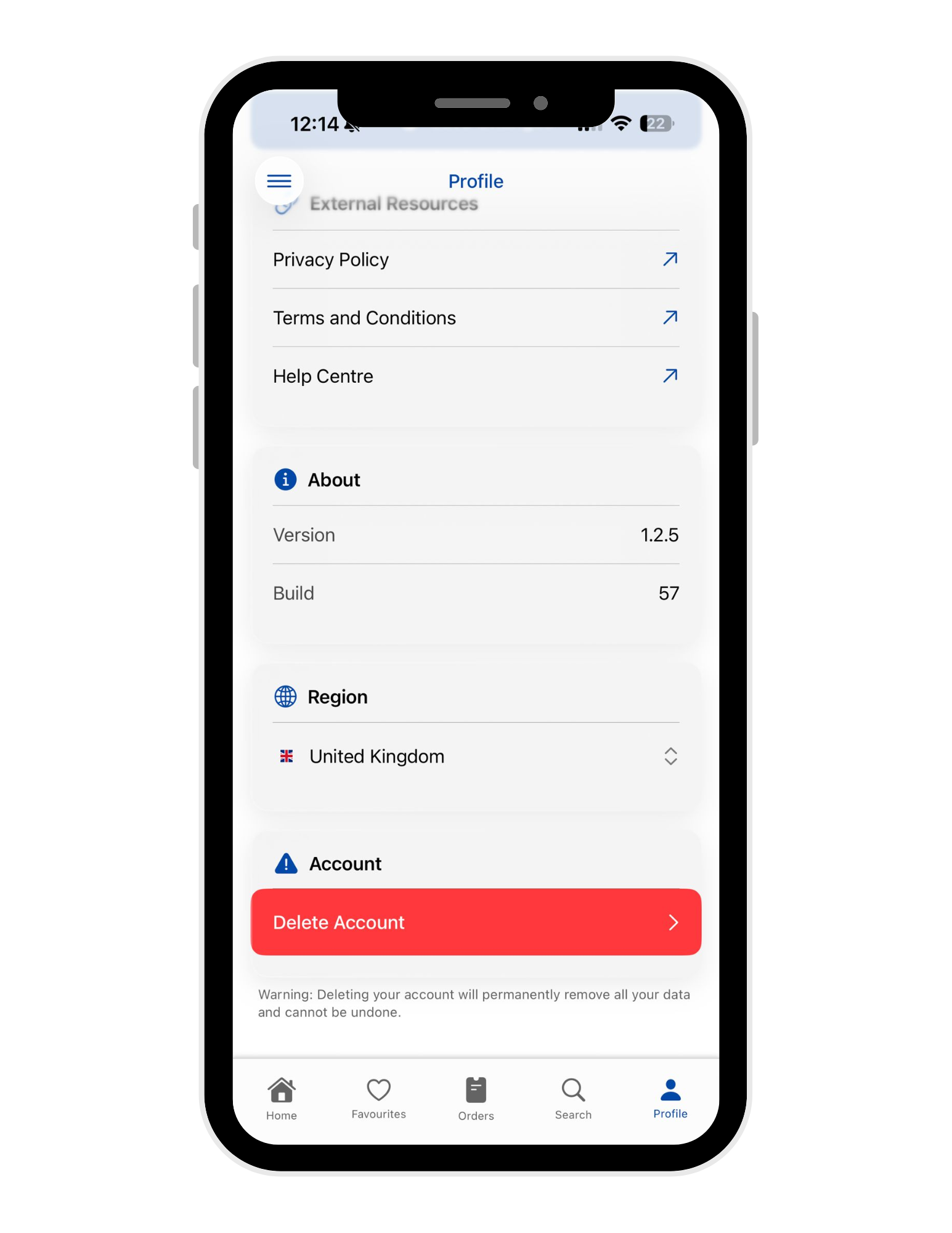
Scroll to the bottom
Tap on DELETE ACCOUNT
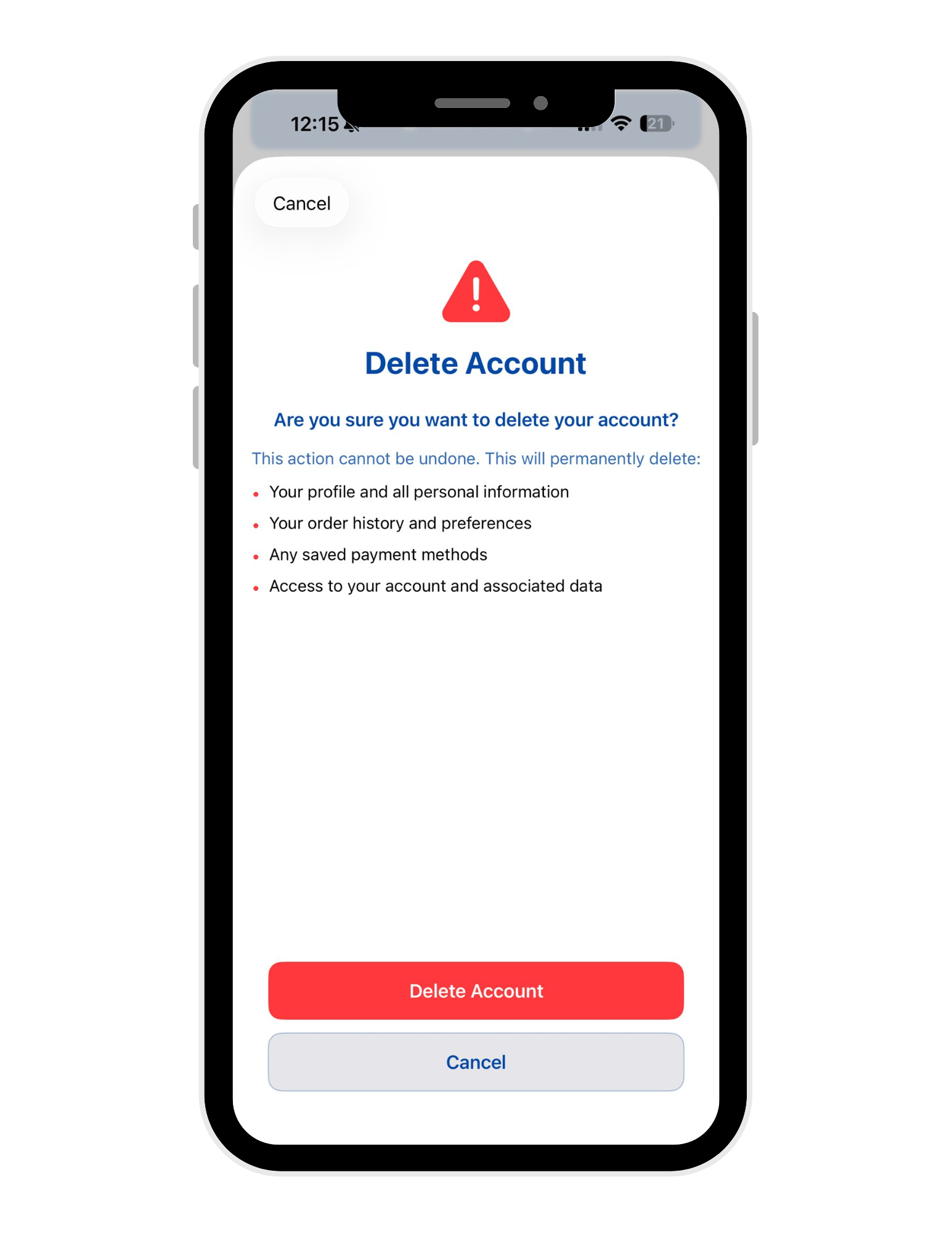
Follow the on-screen prompts to confirm your decision.
Option 2: Request Deletion via Support
If you prefer, or if you are using the Web platform, you can request account deletion through our support team:
Submit a Ticket: Visit our Customer Support portal and select "Account Deletion" from the dropdown menu.
Email Us: Send a request from your registered email address to help@thrivr.co.uk.
What Deleting your account means
This action cannot be undone. This will permanently delete:
- Your profile and all personal information
Your order history and preferences
Any saved payment methods
Access to your account and associated data
For further information please refer to our Privacy Policy.
Was this article helpful?
That’s Great!
Thank you for your feedback
Sorry! We couldn't be helpful
Thank you for your feedback
Feedback sent
We appreciate your effort and will try to fix the article